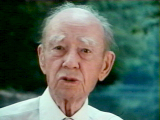

Corliss Lamont: Renegade Patriot |
Several years ago, Corliss Lamont's Grandson, Jonathan Heap, a Hollywood feature film director, shot a 16mm film about his grandfather called Corliss Lamont: Renegade Patriot. The film exists only in rough cut form, but presented here is a six-minute video clip from the film, along with a transcription of the dialogue. |
RealNetworks™ RealPlayer® or
RealPlayer Plus™ Version 5 or better is required in order to play this file. If you don't already
have a copy of one of these products installed on your system, you may download RealPlayer for free
from http://www.real.com/realplayer.html. ![]()
All of these players work with Microsoft® Internet Explorer 3.0 and better, Netscape Navigator™ 3.0 and better, and any browser capable of launching an external helper application, which includes virtually all current browsers.
The bandwidth required in order to properly stream this clip is 34 kbps, so you'll need a "56k modem" (V.92, V.90, K56Flex, or x2) or faster Internet connection.
| If your
browser supports the RealVideo Netscape plug-in (Content-Type audio/x-pn-realaudio-plugin), or
Microsoft ActiveX control, just click on the Play button |
| Transcription of Dialogue |
As an alternate file format, we've also provided a low bit rate (288 kbps), small frame size (160 x 120), film frame rate (24 fps) MPEG-1 System Stream (ISO/IEC 11172-1) file (Content-Type video/mpeg). The MPG file is 13,501,011 bytes in size and is therefore most suitable for downloading if you have a high-speed cable modem, xDSL, T-1/E-1, or better connection, or if you wish to save a copy of the file to your system for future use. Use this link to download rp.mpg.
| To download and save the MPG file: If you are browsing this Web page using Microsoft Internet Explorer (MSIE) or Netscape Navigator (NN) simply right-click (Windows) or Control-click or click-and-hold (Macintosh) on the link above and in the small pop-up context menu window which appears choose "Save Target As..." (MSIE) or "Save Link As..." (NN). This will bring up the file save dialog wherein you can specify the filename and location on your local hard disk where you want to save a copy of the file. Be sure to save it with an extension of '.mpg' or '.mpeg', whichever is appropriate for your operating system. |
Copyright © 1999-2007 by Half-Moon Foundation, Inc.
All rights reserved.
This page last revised: June 30, 2007.